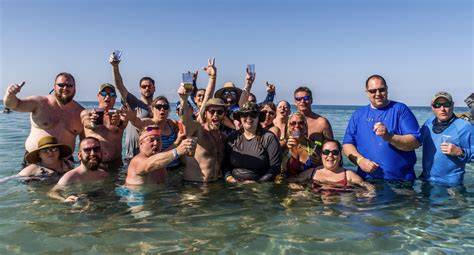
Your family reunion finally has everyone on the same ship, but Aunt Linda is looking for the dining room, the teens have disappeared toward the sports deck, and three cousins are unsure when the group photo happens. That is exactly where the best cruise apps for groups earn their place. The right few apps can keep everyone informed without turning the group organizer into a full-time help desk.
For a group cruise, the goal is not to load every traveler’s phone with a dozen travel tools. It is to choose a simple system that makes plans visible, expenses fair, and communication easy before and during the sailing. Here is what we recommend for families, friend groups, teams, and celebration cruises.
Start With the Cruise Line App
Every group member should download the official app for your cruise line before leaving home. It is the most useful app onboard because it is built around the ship, your exact sailing, and the daily schedule. Depending on the cruise line, travelers can usually review dining times, browse entertainment, reserve activities, check deck plans, see port information, and complete online check-in.
For the person coordinating the group, this app cuts down on the familiar questions: “What time is dinner?” “Which theater is the show in?” and “When do we need to be back onboard?” Encourage everyone to turn on notifications for schedule changes, especially on port days when weather or local conditions can shift the plan.
There is one trade-off: app features and onboard messaging options vary by cruise line and ship. Some cruise lines charge for in-app chat, while others include it or offer it as part of a package. Check the details before sailing so nobody assumes they can message for free once the ship leaves port.
Set it up before embarkation day
Ask each traveler to download the app, create or log into their account, and complete any available check-in steps at least a few days before departure. Families should also make sure one adult has access to each minor traveler’s reservation where appropriate. A five-minute setup at home is much easier than a 30-minute phone problem in a busy cruise terminal.
Use a Group Chat That Works on Vacation
For most US-based groups, WhatsApp is a strong choice for keeping the conversation in one place. It handles group messages, photos, polls, and shared locations when you are in port. It is particularly helpful when some group members are traveling internationally or use different phone types.
If your group already lives in iMessage, Facebook Messenger, or GroupMe, do not force everyone to change platforms just for the cruise. Familiarity matters. The best communication app is the one every traveler will actually open.
Create the chat before the trip, then use it for practical updates rather than a nonstop stream of messages. The organizer can post embarkation meeting points, themed dinner reminders, excursion times, and a photo of tomorrow’s plan. Encourage travelers to mute the chat when they need a break, but ask them to check it each morning and before heading ashore.
Be realistic about connectivity. A regular messaging app may require a Wi-Fi package or cellular service at sea, and international roaming can be expensive. When everyone is on the ship, the cruise line’s own messaging feature may be the better option. In port, your regular group chat becomes much more useful when travelers have cellular coverage or local Wi-Fi.
Best Cruise Apps for Groups Managing Money
Shared expenses can create awkward moments on an otherwise wonderful vacation. Splitwise is a practical app for tracking costs such as a shared pre-cruise hotel, rides to the port, specialty dining, group decorations, or a beach cabana. One person records the expense, assigns the people involved, and the app keeps a running balance.
It works best for expenses paid outside the cruise account. Onboard charges are often tied to individual cabin accounts, which is usually cleaner for personal drinks, spa treatments, shopping, and optional activities. Before the trip, agree on what is shared and what is not. A birthday group might split the cost of a private party setup, for example, while each traveler pays for their own bar tab.
For larger organizations or fundraising cruises, a simple shared spreadsheet may be more appropriate for tracking deposits, sponsor contributions, shirt orders, or event costs. The app is less important than having one clear record and one person responsible for maintaining it.
Keep the Itinerary in One Shared Place
A cruise has two schedules: the ship’s daily program and your group’s plan. The official cruise line app handles the first one. A shared Google Calendar can handle the second.
Add the group commitments that matter most: the night-before hotel meet-up, embarkation lunch, reunion dinner, matching-shirt photo, private event, shore excursion gathering time, and final-night celebration. Include the meeting location, not just the time. “Meet at 6:15 p.m.” leaves room for confusion. “Meet at 6:15 p.m. outside the forward elevators on Deck 5” gives everyone a real target.
Google Calendar is especially helpful before the cruise because travelers can see payment deadlines, flight suggestions, and packing reminders. Once onboard, do not assume everyone will have access at all times. Print a small one-page group schedule as a backup and tuck it into each cabin welcome packet.
Save and Share the Photos Everyone Wants
The best group trips produce hundreds of pictures, but they often end up scattered across individual phones. Google Photos is a simple choice for shared albums, particularly for families and friend groups with a mix of Apple and Android users. One shared album gives everyone a place to add their best shots from sail-away, formal night, beach days, and those surprise moments nobody wants to lose.
Create the album before departure and name it clearly with the ship and sailing date. Ask travelers to upload a few favorites each day rather than waiting until they get home. That keeps the memories flowing while the trip is still happening, and it makes it easier to find the one photo where every grandchild is actually looking at the camera.
Remember that uploads can use significant data. Most guests should wait for reliable port Wi-Fi or home internet unless their onboard plan comfortably supports photo sharing.
Use Maps and Port Tools Carefully
Google Maps remains useful for planning a port day, saving restaurants, identifying beaches, and finding your way back to a meeting point. Download offline maps for ports before you sail when possible. This is a smart move for travelers who do not plan to purchase international data.
For organized group excursions, though, the most valuable tool may be a simple message with the exact meeting instructions from your cruise planner or tour operator. Ports can be crowded, and a pin on a map does not always explain which exit, pier, or taxi area the group should use. Keep the instructions saved as a screenshot too, just in case service is spotty.
Choose Fewer Apps, Then Make a Simple Plan
A group of 10 does not need 10 different systems. In most cases, the official cruise line app, one group chat, one expense tracker if needed, and one photo album are plenty. Choose them early, explain what each one is for, and give travelers a short setup deadline before the cruise.
At America’s Best Cruises, we have seen that technology works best when it supports a well-organized group plan instead of replacing one. Your cabin arrangements, dining strategy, activities, and key group events should be settled well before boarding. Apps then help everyone stay connected while leaving room for the spontaneous laughter, quiet ocean views, and unexpected adventures that make a cruise feel special.
Before your group steps onboard, send one final message with the first meeting time, your main communication channel, and a reminder to enjoy the trip. When everyone knows where to look for information, the organizer gets to put down the clipboard and enjoy the vacation too.